

18 May 5 Signs Your Business Security System Needs an Upgrade
Business security technology has changed dramatically over the last several years. What worked well a decade ago may now leave major blind spots in your protection strategy. Outdated systems can create operational headaches, increase false alarms, limit visibility, and make it harder to respond quickly when issues arise.
The good news? Upgrading your security system doesn’t always mean starting from scratch. In many cases, businesses can modernize key components while keeping parts of their existing infrastructure in place.
Below are five common signs your current business security system may be due for an upgrade — along with practical ways to evaluate your options.
1. Are Your Security Cameras Still Using Analog or Low-Resolution Video?
Older analog camera systems were once the standard for commercial security. But today, grainy footage and limited recording capabilities can create problems when you actually need evidence.
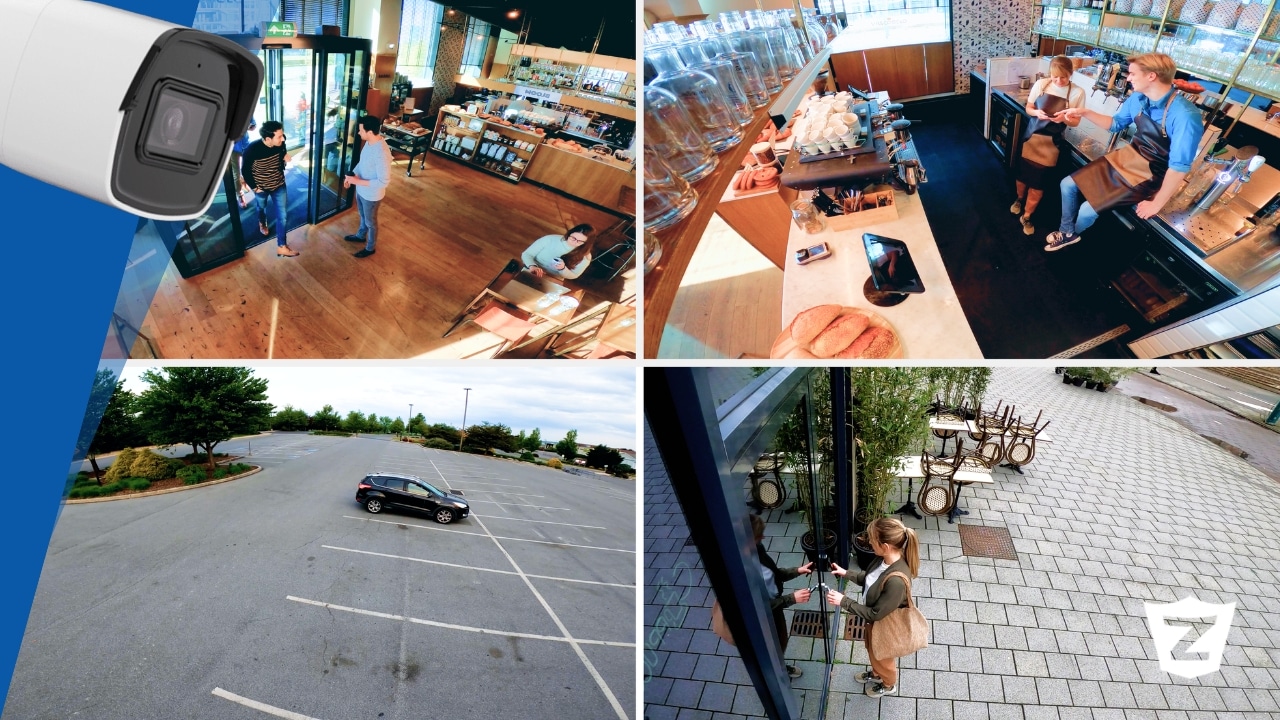
Modern security cameras offer significantly clearer image quality, wider coverage angles, night vision improvements, cloud storage options, and advanced analytics that older systems simply can’t match. Many systems now allow business owners to search footage by motion events, people, vehicles, or specific activity rather than scrolling through hours of recordings manually.
If your footage becomes blurry when zooming in, struggles in low light, or makes it difficult to identify faces or license plates, your cameras may no longer provide the level of protection your business needs.
What should you do?
Start by evaluating:
- Camera image quality
- Blind spots around entrances, loading zones, and parking areas
- Storage limitations
- Reliability during nighttime or bad weather
In many cases, businesses can upgrade individual cameras or recording hardware without replacing the entire system.
2. Can You Monitor Your Business Remotely?
Business owners today expect to stay connected to their operations whether they’re onsite, traveling, or managing multiple locations. If your current system only works from an office computer or requires physical access to review footage, it may be limiting both convenience and security.
Modern commercial security systems now allow remote access through mobile apps and centralized dashboards. This makes it possible to:
- View live camera feeds
- Receive real-time alerts
- Arm or disarm systems remotely
- Lock or unlock doors
- Review alarm activity
- Manage multiple business locations from one platform
Remote management is especially valuable for businesses with multiple properties, after-hours operations, or managers who travel frequently.
What should you do?
Ask yourself:
- Can you check your cameras from your phone?
- Do you receive alerts when alarms are triggered?
- Can managers access the system remotely?
If the answer to any of these is no, adding cloud-connected features or mobile access tools may dramatically improve visibility and response time.
3. Are False Alarms Becoming a Regular Problem?
False alarms do more than create frustration. They waste time, disrupt operations, strain relationships with local authorities, and may even lead to fines in some areas.
Older systems often rely on outdated sensors that struggle to distinguish between genuine threats and normal activity. Environmental factors, employee mistakes, and aging equipment can all contribute to unnecessary alarms.
Today’s smarter systems use improved motion detection, automation, analytics, and customizable alert settings to reduce unnecessary triggers while improving accuracy.
What should you do?
Track:
- How often false alarms occur
- Which sensors trigger them most frequently
- Whether alarms happen during opening or closing procedures
- Patterns related to weather, cleaning crews, or deliveries
Sometimes replacing a few aging sensors, recalibrating detection zones, or updating software can significantly improve performance without requiring a full replacement.
4. Does Your Security System Struggle to Integrate With New Technology?
Many older security systems were designed as standalone tools. But modern businesses increasingly need security components to work together.
Today’s commercial systems can integrate:
- Video surveillance
- Access control
- Alarm systems
- Smart locks
- Environmental sensors
- Mobile apps
- Analytics and reporting tools
When systems operate separately, important information can become fragmented. Employees may need multiple logins, managers may lose visibility, and response times can slow down during emergencies.
Integrated systems create a more streamlined experience by connecting everything through one platform.
What should you do?
Consider:
- Whether your current system supports newer smart technology
- If your cameras, alarms, and access control communicate with each other
- How many separate apps or dashboards your team uses
- Whether reporting and monitoring feel disconnected
Some businesses can modernize gradually by integrating newer cloud-based tools alongside existing equipment.
5. Are There Areas of Your Property With Limited Coverage?
Security vulnerabilities often develop gradually over time. Businesses expand, layouts change, inventory shifts, and traffic patterns evolve. A system that once provided sufficient coverage may now leave important areas exposed.
Common vulnerable areas include:
- Rear entrances
- Parking lots
- Storage rooms
- Outdoor equipment areas
- Employee-only sections
- Delivery zones
- Stairwells and side hallways
Limited coverage not only increases risk but can also create liability concerns if incidents occur in unmonitored spaces.
What should you do?
Walk through your property and ask:
- Are there areas with poor visibility?
- Do camera angles still make sense for your current layout?
- Have you added inventory, equipment, or entrances since installation?
- Are outdoor areas adequately protected after dark?
Sometimes improving coverage is as simple as repositioning cameras or adding a few strategically placed devices rather than overhauling the entire system.
Upgrading Your Business Security Doesn’t Have to Mean Starting Over
One of the biggest misconceptions about commercial security upgrades is that businesses must completely replace their systems all at once. In reality, many modern solutions are designed to work with portions of existing infrastructure while adding newer capabilities over time.
Whether your goal is better video quality, fewer false alarms, remote access, smarter integrations, or expanded coverage, upgrading strategically can help improve security while staying within budget.
At Zions Security Alarms, we help businesses evaluate their current systems and identify practical ways to modernize protection without unnecessary replacements. From cameras and access control to monitoring and smart integrations, our team can help customize a solution that fits your business today — and scales with you tomorrow.
No Comments