

26 Dec How to Integrate Your Sonos Speakers with Alarm.com
Smart homes are all about convenience, personalization, and control. Imagine walking in the door and your favorite music starts automatically, or receiving an audio alert when a family member arrives home. Integrating your Sonos speakers with Alarm.com makes this possible, giving you seamless control of your home audio system right from your mobile device.
Whether you’re a music lover, a home automation enthusiast, or someone who wants to make everyday routines easier, this integration enhances both your lifestyle and home security.
Why Integrate Sonos with Alarm.com?
By connecting Sonos to Alarm.com, you unlock a variety of powerful features:
- Remote audio control: You can play, pause, adjust volume, or mute any Sonos speaker in your home from anywhere using the Alarm.com app. Perfect for starting music before you arrive home or turning off audio when you leave.
- Smart automation with audio scenes: Sonos speakers can be part of your Alarm.com smart scenes. For example, set a “Good Morning” scene that opens the blinds, adjusts the thermostat, and plays your favorite playlist to start the day. Or create a “Relax” scene that dims the lights and plays soft background music in the living room.
- Individual or grouped playback: Choose which speakers play audio. Group multiple speakers to play the same track throughout your home or play different audio in each room for a customized experience.
- Integration with existing Alarm.com features: Beyond music, Sonos speakers can work with Alarm.com alerts. You can receive notifications through your speakers or use them for audio cues tied to events, like when someone opens the front door.
This integration isn’t just about entertainment—it’s about creating a more responsive, personalized home environment.
What You’ll Need Before Starting
To successfully integrate Sonos with Alarm.com, make sure you have the following:
- A compatible mobile device: iOS (iOS 8.0+) or Android (Android 2.1+).
- The latest Alarm.com app: Version 4.10.4 or higher.
- Up-to-date Sonos app and speaker firmware: Ensure your Sonos devices are running the latest updates to avoid compatibility issues.
- Audio Integration add-on: Your Alarm.com account must include the Audio Integration service.
Having these ready will make the setup process smooth and ensure your Sonos speakers work flawlessly with Alarm.com.
Step-by-Step Guide to Connect Sonos to Alarm.com
Integrating Sonos into your smart home setup is straightforward. Follow these steps:
- Open the Alarm.com app on your mobile device.
- Tap the Menu icon
 .
. - Select Add Device.
- Tap Audio.
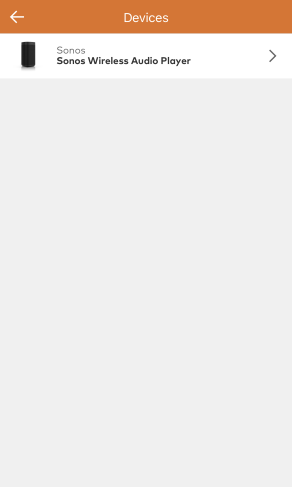
- Tap Sonos Wireless Audio Player.
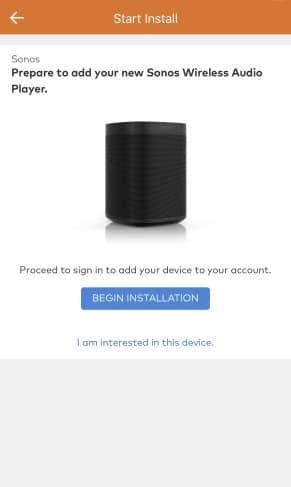
- Tap Begin Installation.
- Tap Continue to sign in with Sonos.
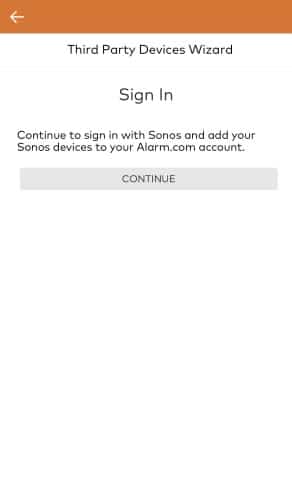
- Tap Continue.
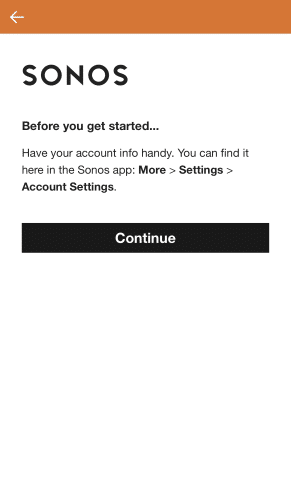
- Enter the Sonos account information, then tap Sign In.
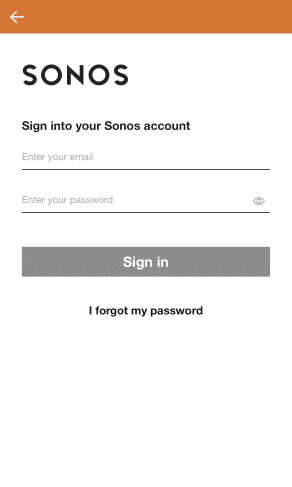
- Tap Okay.
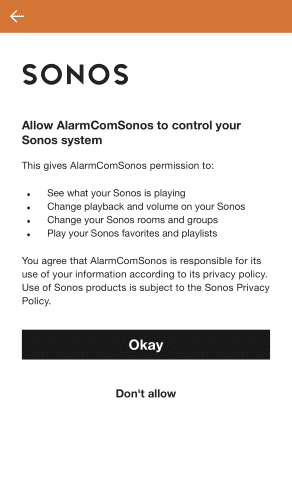
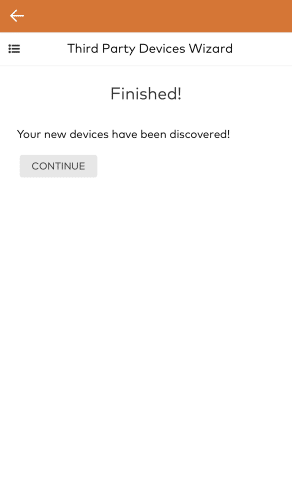
- Wait while the new device is discovered.
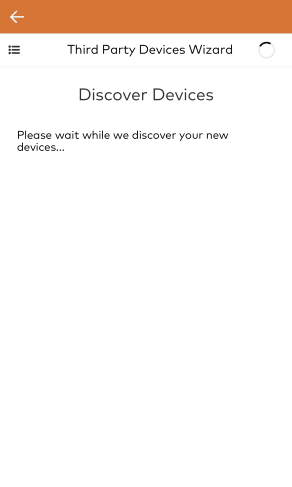
- The device is now installed. Tap Continue to return to the app.
- Audio can now be played in the Audio card on the home screen.
From here, you can immediately start controlling your speakers—play music, adjust volume, or add audio to scenes.
Tips for Best Performance
To ensure a smooth and enjoyable experience with your Sonos integration, consider these tips:
- Keep everything updated: Regularly update both Sonos firmware and the Alarm.com app for the best functionality.
- Strong Wi-Fi connection: For optimal performance, make sure all Sonos devices and your mobile device are connected to the same Wi-Fi network during setup.
- Use grouped playback for multi-room audio: Create immersive experiences by playing the same song in multiple rooms at once.
- Incorporate audio into automation: Think creatively about using audio in your scenes. For example, use Sonos to announce alerts when sensors detect motion or a door opens.
Make Your Home Smarter with Sonos and Alarm.com
Integrating Sonos speakers with Alarm.com transforms your smart home into a responsive, personalized, and convenient environment. You gain more control over your music, automate routines, and enhance your home’s security and comfort, all from a single mobile app.
Whether you’re at home, at work, or on vacation, this integration gives you complete control over your home audio, helping you enjoy music, create ambiance, and receive alerts like never before.
Start connecting your Sonos speakers to Alarm.com today and experience a smarter, more connected home.
No Comments